Payment Collection Explained for Customer Support Teams
A customer says they paid, but the order still shows unpaid. Your agent has to find out whether the payment failed, the confirmation is delayed, or the customer is mistaken, and every minute spent guessing costs the business money. More detail on the current options is published at com.bot.
This article explains how payment collection actually works for support teams, from payment links and reminders to escalation and refunds. You will learn where collection workflows break, how to handle payment conversations on WhatsApp, Instagram, and Messenger, and which metrics reveal whether your team is collecting or just chasing.
What Payment Collection Means for Support Teams
Payment collection is the end-to-end process of recovering money owed by customers, from sending an invoice to confirming funds have cleared. In a support context, it covers the full cycle of requesting, tracking, and reconciling payments, not just the moment a transaction runs.
This work is broader than most agents expect when they first join a billing queue. It includes invoicing, payment terms, reminders, and reconciliation, plus the follow-up that happens when something goes wrong. A support agent may update a card on file, resend an invoice to the right billing contact, or explain a partial payment balance in a single shift.
Payment collection should not be confused with payment processing. Processing is the technical movement of money through a payment gateway and merchant account. Collection is the human and operational layer wrapped around it: who owes what, when it is due, and whether the payer has the information they need to pay.
Typical collection scenarios support teams handle include:
- Overdue invoices on net 30 terms that need a polite reminder
- Subscription billing renewals where a card has expired
- Installment plans with a missed or partial payment
- Accounts in dunning after repeated failed payment attempts
Efficient collection has a direct effect on cash flow and accounts receivable. When reminders go out on time and billing questions get answered quickly, money arrives sooner and fewer balances age into problem territory.
Payment Collection vs. Payment Processing: Key Differences
Payment processing is the technical execution of a transaction, while payment collection encompasses the broader strategy and communication around getting paid. The two depend on each other, but they involve different tools, skills, and owners.
Processing covers the payment gateway, the merchant account, and the actual transfer of funds. It also includes the security layer that keeps card data safe, such as tokenization, encryption, and PCI compliance controls. Fraud prevention tools like CVV checks and 3D Secure also sit on the processing side.
Collection covers invoicing, payment terms, due dates, reminders, and reconciliation. It answers questions like: Was the invoice delivered? Did the payer understand the amount? Is there a payment link they can use? Has the payment been matched against the right account?
A concrete example makes the split clear. If a customer's card is declined, that is a processing issue, often solved with retry logic or a different payment method. If a customer never received an invoice, that is a collection issue, solved by fixing delivery and resending the document.
| Area | Payment Processing | Payment Collection |
|---|---|---|
| Focus | Executing the transaction | Getting and confirming payment |
| Key elements | Gateway, merchant account, tokenization | Invoicing, terms, reminders, reconciliation |
| Common issues | Declined card, failed payment, chargeback | Missing invoice, unclear balance, late payer |
| Support role | Limited, mostly escalation | High, direct customer contact |
Both matter, but they call for different strengths. Processing rewards technical accuracy and secure configuration. Collection rewards clear communication, patience, and follow-through with the payer.
Why Support Agents Are the Frontline of Payment Success
Support agents are often the first to learn about payment problems because customers reach out to them when a charge fails or an invoice is unclear. That puts agents in a position to influence collection outcomes before a small snag becomes a lost account.
Agents handle a wide range of payment-related inquiries. They troubleshoot failed payments, walk customers through payment methods like credit card, debit card, ACH transfer, bank transfer, or digital wallet, and help update billing details when a card expires. They also field questions about refunds, chargebacks, and installment balances.
Research suggests that the quality of a support interaction shapes whether a customer pays promptly or stalls. A fast, clear answer to a billing question removes friction. A slow or confusing one gives the payer a reason to delay, and delays push balances further into accounts receivable.
Agents can turn a payment issue into a loyalty-building moment in simple ways:
- Confirming the exact amount due and the due date in plain language
- Sending a fresh payment link when the original one expired
- Explaining why a card was declined without sounding accusatory
- Offering a clear next step instead of leaving the payer to guess
These small actions raise collection rates and reduce repeat contacts. A customer who feels helped rather than chased is more likely to keep auto-pay on and less likely to dispute a charge later.
The Payment Collection Workflow, Step by Step
A typical payment collection workflow begins with generating an invoice or payment link and ends with reconciling the payment against the customer's account. Between those two points sits a sequence of stages, each with its own actions, tools, and owners.
The core stages include invoicing, delivery of the invoice or link, reminder, payment initiation, processing, confirmation, and reconciliation. Each stage depends on the one before it. A weak reminder process, for example, delays initiation, which in turn delays reconciliation and stretches accounts receivable.
Different tools support different stages. Billing systems generate invoices and track balances. Payment gateways authorize and capture funds. Accounting platforms or ERP systems handle reconciliation and reporting. Support teams often work across all of them, especially when an exception breaks the normal flow.
Support involvement tends to cluster around exceptions rather than routine payments. A customer whose payment link expired, whose card was declined, or who wants to switch to an installment plan will usually contact support rather than the billing department.
The sections below walk through each stage in detail and then cover the failure points that most often pull customer support into the process.
From Payment Link to Confirmation: What Happens at Each Stage
When a customer clicks a payment link, they enter a checkout flow that may involve selecting a payment method, entering details, and authorizing the transaction. The journey usually unfolds in seven steps.
- The customer receives the payment link by email or a messaging app.
- The customer opens the link and reviews the invoice details, including the amount, due date, and payment terms.
- The customer selects a payment method such as a credit card, debit card, digital wallet, or bank transfer.
- The customer enters payment information and confirms the transaction.
- The payment gateway processes the request, which may include a 3D Secure authentication step.
- The customer receives a confirmation message or receipt.
- The merchant system updates the invoice status from unpaid to paid.
Support can intervene at several points. A link that has expired before the customer opens it is a common trigger for a support ticket. A declined card at step five often sends the customer looking for help, particularly if the decline reason is unclear.
Other intervention points include a customer who cannot find the right payment method, one who needs a partial payment or installment arrangement, or one who completed payment but never received confirmation. Each of these situations requires support to check the transaction status before responding.
Common Failure Points and How to Spot Them Early
Payment failures can occur at any stage, from an expired payment link to a declined card due to insufficient funds or fraud suspicion. Recognizing them early keeps small issues from becoming collection problems.
Frequent failure points include:
- Expired payment links that were never opened before the due date
- Incorrect payment details, such as a mistyped card number or an outdated billing address
- Insufficient funds at the moment of the charge
- Network errors that interrupt the checkout flow
- 3D Secure authentication failures, often caused by a missed one-time code
- Fraud prevention blocks that stop a legitimate transaction
Support teams can catch these early through several channels. Automated alerts from the billing system flag failed attempts as they happen. Monitoring dashboards reveal spikes in declines. Customer reports, though reactive, often surface patterns that alerts miss.
A few practices reduce failure volume. Retry logic can reattempt a failed charge after a short delay, which helps with temporary network or bank issues. Proactive reminders sent before the due date reduce expired-link cases. Dunning emails for failed payments give customers a clear path to resolve the problem.
Clear communication matters throughout. When customers understand why a payment failed and what to do next, they are less likely to dispute the charge later. Preventing chargebacks starts with transparent billing and fast, specific responses from support.
Handling Payment Conversations on WhatsApp, Instagram, and Messenger
Messaging apps like WhatsApp, Instagram, and Messenger have become primary channels for payment-related conversations due to their immediacy and high open rates. Customers who ignore a billing email often reply within minutes to a chat message, making these platforms valuable for payment collection and follow-up.
These channels also suit the way many customers prefer to communicate. A quick question about a due date, an invoice amount, or a declined card feels easier to resolve in a chat thread than through a phone call or a formal email. Customer support teams that meet people where they already are tend to see faster responses and less friction.
Messaging does introduce risk. Payment data shared in a chat can linger in message history, on unsecured devices, and in backups. Agents need clear rules about what can be discussed, what must never be typed into a conversation, and how to move a payer toward a secure payment link or portal.
Because these platforms blend casual conversation with financial matters, the line between friendly support and secure payment processing has to be drawn carefully. The following subsections cover best practices for reminders and follow-ups, then the security rules that keep sensitive data out of chat threads.
Best Practices for Payment Reminders and Follow-Ups
Effective payment reminders are timely, personalized, and include a clear call to action with a payment link. A generic "your bill is due" message rarely moves a customer to act. Naming the person, the invoice, and the amount makes the request concrete and easy to resolve.
A common approach is a three-touch sequence built around the due date. Each message escalates slightly in urgency while staying respectful:
- Before the due date: a friendly heads-up that the invoice is coming or now available, with the amount and payment terms.
- On the due date: a short reminder naming the invoice number and total, with a direct payment link.
- After the due date: a polite follow-up referencing the earlier messages, restating the balance, and noting any late fees or next steps if the account falls further behind.
Personalization matters more than volume. Reference the customer's name, the invoice number, and the exact amount. For example: "Hi [Name], your invoice #123 for $500 is due today. Pay here: [link]." Keep it to a few lines so the message is readable on a phone screen.
Offer multiple ways to pay. A credit card, debit card, digital wallet, ACH transfer, or bank transfer may each suit different customers, and a single missing option can stall a transaction. Where installment or partial payment arrangements exist, mention them rather than letting the account drift toward collections.
For follow-ups, be persistent but never hostile. Reference previous communications so the customer sees a consistent thread rather than a series of disconnected nudges. Automation can schedule reminders at the right intervals, but leave room for an agent to adjust tone or add context when a customer replies with a question or a hardship.
Track which messages lead to payment. If reminders go unanswered, the issue may be the channel, the timing, or the wording rather than the customer's willingness to pay.
Managing Sensitive Payment Data Without Overstepping Security Rules
Support agents must never request or store full payment card details, CVV, or other sensitive data in chat conversations. PCI compliance rules exist to protect cardholders and the businesses that accept cards, and a chat thread is not a compliant place to handle that information.
The safe pattern is to direct customers to a secure portal or send a one-time payment link generated by the payment gateway. When a customer enters card details there, the data is captured under encryption rather than typed into a message that could be screenshotted, forwarded, or stored indefinitely.
Tokenization adds another layer. Instead of keeping a card number on file, the system stores a token that stands in for it, so future charges for subscription billing, recurring payment, or auto-pay can proceed without exposing the underlying number. 3D Secure authentication, where the customer confirms a purchase with their bank, further reduces fraud risk on card-not-present transactions.
Agents should also recognize red flags. If a customer pastes a full card number, CVV, or bank credentials into a chat, the agent should not repeat or store it. The right response is to delete or mask the message where the platform allows, report the incident through the internal security process, and redirect the customer to the secure checkout flow.
Train every agent on these boundaries during onboarding and refresh the training regularly. A short script for redirecting customers helps: acknowledge the intent, explain that card details cannot be handled in chat for their protection, and provide the secure link instead. This keeps the conversation helpful while protecting the customer, the agent, and the merchant from a costly data incident.
This section covers general best practices rather than the specifics of any single platform. Teams should confirm their own procedures against current PCI compliance requirements and internal security policy before rolling out payment conversations on messaging channels.
Tools That Support Payment Collection at Scale
Scaling payment collection requires tools that automate reminders, connect with payment gateways, and centralize customer communication. A support team handling a few dozen transactions a week can manage with manual follow-ups. At hundreds or thousands, that approach collapses.
Most teams end up stitching together several categories of software. Each one solves part of the problem, but the gaps between them create delays, missed context, and frustrated payers.
- Payment gateways process credit card, debit card, digital wallet, and bank transfer transactions. They handle tokenization, encryption, and PCI compliance so sensitive card data never touches your systems.
- Invoicing software generates invoices, tracks due dates and payment terms such as net 30, and manages accounts receivable. Many platforms include dunning workflows and retry logic for failed payments.
- CRM systems with payment features connect transaction history to the customer record. Support agents can see whether a payer has an outstanding balance before responding to a billing question.
- Unified communication platforms bring messaging channels into one interface. When payment links and payment chats live alongside conversations, agents avoid switching between tabs mid-resolution.
The friction appears at the handoffs. A customer messages on WhatsApp about a declined card, the agent looks up the invoice in one tool, generates a payment link in another, and pastes it into a third. Every switch adds time and risk of error.
Support teams benefit most from a single platform that combines messaging and payment capabilities. That setup keeps the full context of a payment conversation in one place, from the first question about a chargeback to the final confirmation of a successful transaction. The next section looks at how one platform puts this into practice.
How Com.bot Enables Native Payments and Unified Payment Chats
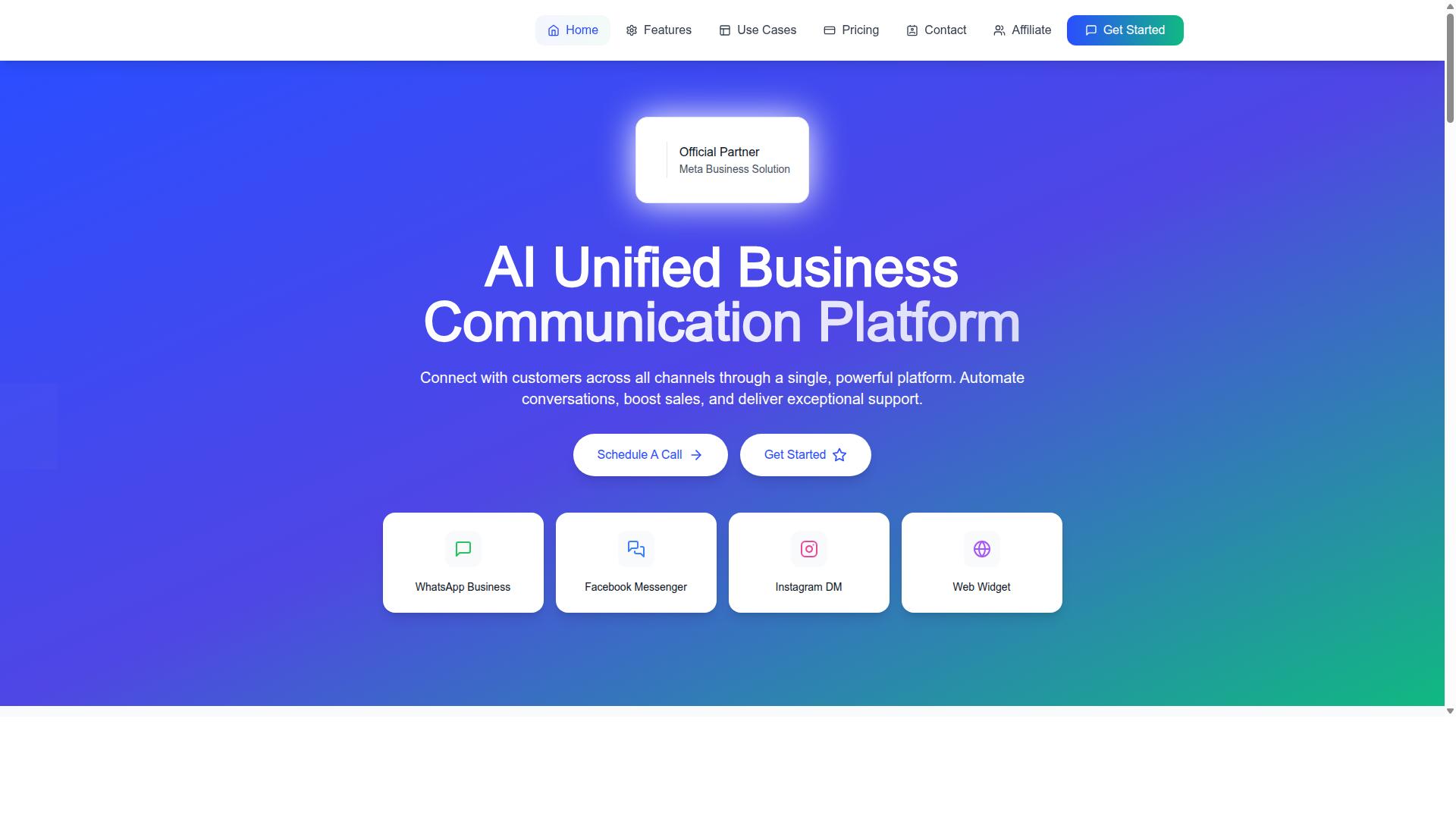
Com.bot is an AI Unified Business Communication Platform that integrates native payments for WhatsApp transactions and unifies payment-related chats across WhatsApp, Facebook Messenger, Instagram DM, and Web Widget. Instead of routing payers through separate billing portals, support teams can manage the entire conversation and the transaction in one workspace.
The platform is built on WhatsApp Business API integration, which allows businesses to send payment links, order updates, and notifications directly inside a chat. A payer receives the link, completes checkout, and the payment confirmation lands in the same thread. No redirect to an unfamiliar page, no lost context for the agent.
Several capabilities work together to make this possible:
- Unified Team Inbox keeps every payment-related conversation in one view, so agents can see history and hand off cleanly across shifts.
- Native Payments for WhatsApp lets teams collect payments without leaving the messaging environment.
- Visual Bot Builder with a drag-and-drop interface supports automated flows for reminders, follow-ups, and common billing questions.
- Multi-Channel Support covers WhatsApp, Facebook, and Instagram, so payers can reach out on the channel they already use.
- Automation Builder with 1000+ integrations connects payment collection to the rest of the business stack.
- Team Collaboration with role-based access keeps sensitive billing actions restricted to the right people.
For support teams, the practical value is consolidation. Sending a payment link, answering a question about a partial payment, and confirming a successful transaction all happen in one place. That reduces the back-and-forth that typically slows down accounts receivable.
Com.bot processes 25M+ messages per day and serves 23,000+ active customers. It is an Official Meta Business Partner and applies enterprise security standards to payment-related communication. For teams weighing whether to keep juggling separate billing and messaging tools, that combination of scale and channel coverage is worth evaluating against current workflows.
Escalation, Refunds, and Dispute Handling
Not all payment issues can be resolved at the front line; some require escalation to billing specialists or dispute resolution teams. A support agent can answer most questions about a declined card or a missing receipt, but a formal chargeback or a legal threat needs a different level of handling.
Refunds and disputes follow defined procedures for good reason. They touch accounts receivable, payment processing, and sometimes fraud prevention, so an unstructured response can create financial or compliance risk for the merchant.
This section covers the three situations that most often move beyond a standard ticket: escalation, refunds, and disputes. Each has its own triggers, documentation needs, and communication expectations.
When to Escalate and What to Document
Escalate a payment issue when it involves potential fraud, legal action, or exceeds the agent's authority to resolve. Escalation is not a failure of support; it is a control that keeps high-risk cases in the hands of trained specialists.
Common triggers include a customer disputing a charge, a refund request that falls outside policy, a threat of legal action, or a report of an unauthorized transaction. Repeated failed payment attempts on the same account can also signal a problem worth a second look.
Documentation is what makes escalation work. A specialist who receives a ticket without context must start from zero, which slows resolution and frustrates the customer. Capture the essentials every time:
- Customer ID and invoice number
- Payment amount, date, and payment method
- Nature of the issue and the customer's stated outcome
- Steps already taken by the agent
- Full history of customer communication
A ticketing system keeps these details in one place and creates an audit trail. Some support platforms can log conversations and attach them to a ticket automatically, which reduces manual note-taking and keeps records consistent across agents. The principle matters more than the tool: if it is not written down, it did not happen.
Set clear internal rules for who can approve what. A refund under a set threshold may be an agent decision, while anything above it routes to a supervisor. Chargebacks and suspected fraud should go straight to a dispute or risk team. When agents know the boundaries in advance, they escalate faster and with better information.
Finally, tell the customer what happens next. A short message confirming the case has been passed to a specialist, with an expected response window, prevents follow-up tickets and sets realistic expectations. Silence during escalation is one of the most common sources of complaints in payment collection.
Metrics Support Teams Should Track for Payment Collection
Tracking the right metrics helps support teams measure their impact on payment collection and identify areas for improvement. Without clear numbers, payment-related support work can feel invisible even when it directly affects revenue.
The metrics below connect daily support activity to accounts receivable outcomes and customer retention. Each one is simple to calculate and worth reviewing on a weekly or monthly cadence.
Collection rate. Divide total payments collected by total payments due for a given period, then multiply by 100. A rate that trends downward often signals friction in the billing or dunning process rather than a sudden change in customer intent. Compare the rate across payment methods, since credit card, ACH transfer, and digital wallet failures behave differently.
Days sales outstanding (DSO). Take accounts receivable and divide it by total credit sales, then multiply by the number of days in the period. DSO shows how long cash stays tied up before customers pay. On net 30 terms, a DSO that drifts well past 30 days points to slow follow-up or unclear due dates.
First response time to payment inquiries. Measure the gap between when a payer asks about a charge, invoice, or refund and when an agent replies. Billing questions carry urgency because the customer may be facing a declined card or a duplicate charge. Fast first replies reduce frustration and prevent simple questions from escalating.
Resolution time for payment issues. Track the full span from ticket creation to confirmed resolution. This covers declined card investigations, chargeback evidence, partial payment arrangements, and payment link errors. A long resolution time often means the team lacks visibility into the payment gateway or transaction history.
Failed payment recovery rate. Divide the number of failed payments eventually collected by the total number of failed payments in the period. This metric reflects how well retry logic, dunning messages, and agent outreach work together. A low recovery rate on subscription billing usually means retries happen too close together or messages do not offer a clear next step.
Customer satisfaction (CSAT) for payment interactions. Survey customers right after a billing conversation and average the scores. Payment friction damages trust quickly, so CSAT here is a useful early warning for churn risk.
| Metric | How to Calculate | What to Watch For |
|---|---|---|
| Collection rate | Payments collected divided by payments due, times 100 | Downward trends, gaps by payment method |
| DSO | Accounts receivable divided by credit sales, times days in period | Drift beyond agreed payment terms |
| First response time | Time from payer inquiry to first agent reply | Slow replies on urgent billing questions |
| Resolution time | Time from ticket creation to confirmed fix | Repeated escalations, unclear ownership |
| Failed payment recovery rate | Failed payments recovered divided by total failed payments | Weak retry logic, poor dunning messaging |
| CSAT for payment interactions | Average survey score after billing conversations | Low scores signaling churn risk |
Benchmarks vary by industry, contract size, and payment terms, so teams should establish a baseline from their own history first. Experts recommend reviewing trends over several months rather than chasing a single industry average. What matters is consistent improvement in the direction that supports cash flow.
These metrics also reinforce each other. Faster first responses tend to shorten resolution times. Better resolution times improve failed payment recovery, since customers get clear guidance before a declined card becomes a canceled subscription. Higher recovery rates lift the collection rate and pull DSO down.
Analytics tools in the customer support category, including Com.bot, can help teams track message volume and response times at a general level. The value comes from pairing that visibility with the payment-specific numbers above, so support leaders can show how billing conversations affect revenue and retention.
Improving these metrics pays off in two ways. Recovered failed payments and faster collection directly increase revenue that would otherwise be written off. Smoother payment interactions also reduce churn, because customers rarely cancel over a single billing hiccup when the support team resolves it quickly and clearly.
Conclusion: Streamlining Payment Collection with the Right Support Strategy
A well-orchestrated payment collection strategy turns support agents into revenue protectors and enhances the customer experience. When agents understand the difference between collecting money and processing a transaction, they can resolve billing issues faster and keep payer relationships intact.
The distinction matters because payment collection covers the full journey of getting paid, from invoicing and due dates to dunning and reconciliation. Payment processing is the narrower technical step handled by a payment gateway. Support teams that confuse the two often escalate problems they could solve directly.
Empowering agents with clear policies, real-time account visibility, and safe data handling practices shortens resolution times. Messaging channels such as WhatsApp and live chat keep conversations convenient for the payer while keeping a written record for the merchant.
Security deserves equal attention. Tokenization, encryption, and PCI compliance protect card data, while 3D Secure and CVV checks help reduce fraud. Agents should never store card numbers in chat logs or email threads.
Unified platforms bring these pieces together. Com.bot is a SaaS tool built for exactly this kind of consolidated workflow, giving teams one place to manage customer conversations alongside payment collection tasks rather than juggling disconnected systems.
Finally, track the metrics that reveal whether the strategy works: recovery rates on failed payments, average resolution time, chargeback frequency, and refund turnaround. These numbers show where retry logic, payment terms, or agent scripts need adjustment.
Businesses evaluating their current workflow should ask a few practical questions:
- Can support agents see invoice status, due dates, and payment history without switching tools?
- Are messaging channels connected to billing records so context is never lost?
- Is sensitive payment data tokenized and kept out of conversation history?
- Do dunning and retry logic run automatically when a card is declined?
If the answer to any of these is no, a unified platform closes the gap. To learn more about Com.bot or to discuss how it fits your support and collection workflow, reach the team through the details below.
- Head Office: 501, Trinity Orion, Vesu Main Road, Surat - 395010, IN
- Phone/WhatsApp: +91 080 6987 1810
- Email: [email protected]
- Business Hours: Monday - Friday: 9:00 AM - 6:00 PM IST
- Social: WhatsApp Support available
Contact the sales team to explore how a unified approach to payment collection can strengthen both your accounts receivable and your customer relationships.